Controls are the active input components representing CSS properties or HTML attributes that the template developer allows the user to change. All controls share common base parameters but also have specific configurations depending on their type.

Base control

Most controls share these core properties. Depending on the control type, these map to the DOM or CSS rules.

Text

Used for simple single-line string values (headings, buttons, short inputs). Supports real-time preview and AI writing generation.
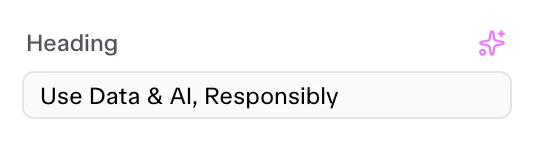
Text Control
{
  "id": "heading_text",
  "label": "Heading",
  "type": "text",
  "selector": "{{WRAPPER}} .title",
  "attribute": "textContent",
  "default": "Use Data & AI, Responsibly",
  "ai_enabled": true,
  "ai_config": {
    "type": "headline",
    "max_length": 40,
    "prompt": "Generate a compelling headline for a SaaS business tool",
    "variations": 3
  },
  "label_block": true
}

Textarea

Used for multi-line text blocks (descriptions, content bodies). Provides a larger input area.
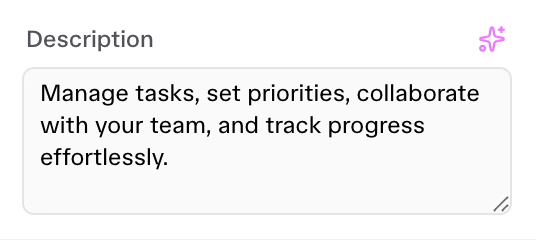
Textarea Control
{
  "id": "description",
  "label": "Description",
  "type": "textarea",
  "selector": "{{WRAPPER}} .desc",
  "attribute": "textContent",
  "default": "Unlock your productivity...",
  "rows": 4,
  "ai_enabled": true
}

Heading

Used to inject non-editable separator titles in Squeditor sidebar to group related visual settings visually. It is not an input control it just a separator.

Heading Control
{
  "id": "your_heading",
  "type": "heading",
  "label": "Heading Separator",
  "separator": "before"
}

Color

Color picker with alpha support. Can inject CSS variables or apply styles directly.
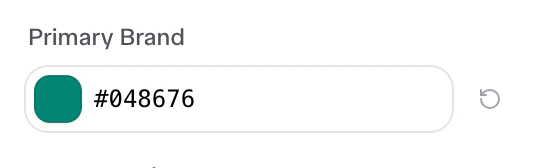
Color Control
{
  "id": "primary",
  "label": "Primary Brand",
  "type": "color",
  "default": "#048676"
}

Typography

Selector for global font variables or family assignments.
{
  "id": "heading",
  "label": "Headings Font",
  "type": "typography",
  "default": "Sunsive"
}

Media

Integration with the Media Library for Images and Videos.
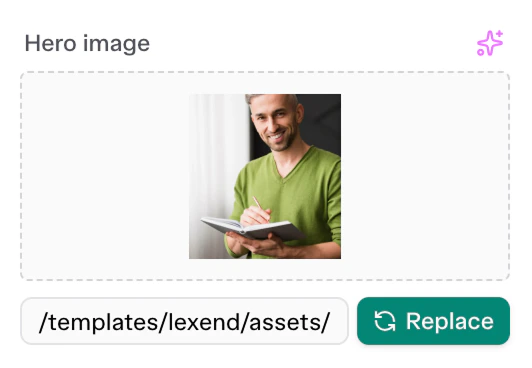
Media Control
{
  "id": "user_image",
  "label": "Image",
  "type": "media",
  "selector": "img",
  "attribute": "src",
  "media_type": "image",
  "default": "/templates/lexend/assets/images/avatars/02.jpg",
  "ai_enabled": true,
  "ai_config": {
    "type": "image",
    "aspect_ratio": "1:1"
  }
}

Select

A dropdown menu control for selecting predefined choices.
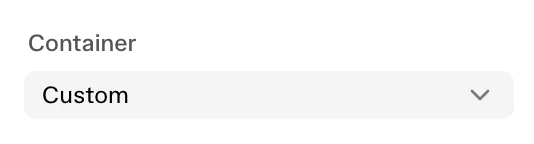
Select Control
{
  "id": "section_container",
  "label": "Container",
  "type": "select",
  "selector": "{{WRAPPER}} .section-outer > *",
  "attribute": "class",
  "options": [
    { "value": "container", "label": "Default" },
    { "value": "container-fluid", "label": "Full Width" },
    { "value": "custom", "label": "Custom" }
  ],
  "default": "container"
}

Slider

A responsive range slider control, perfect for widths, text sizing, or capacities.
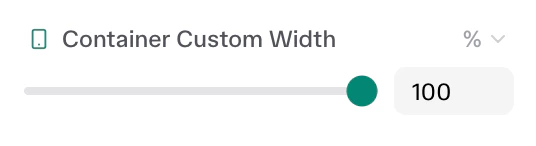
Slider Control
{
  "id": "section_container_width",
  "label": "Container Custom Width",
  "type": "slider",
  "responsive": true,
  "size_units": ["px", "%", "vw", "rem"],
  "range": {
    "px": { "min": 200, "max": 1600, "step": 8 },
    "%": { "min": 0, "max": 100, "step": 1 }
  },
  "default": {
    "desktop": { "size": 1200, "unit": "px" },
    "tablet": { "size": 90, "unit": "%" },
    "mobile": { "size": 100, "unit": "%" }
  },
  "selectors": {
    "{{WRAPPER}} .section-outer > *": "max-width: {{SIZE}}{{UNIT}} !important; margin: 0 auto !important;"
  }
}

Dimensions

A linked, 4-sided (Top/Right/Bottom/Left) numerical input for margin, padding, or border-radius properties.
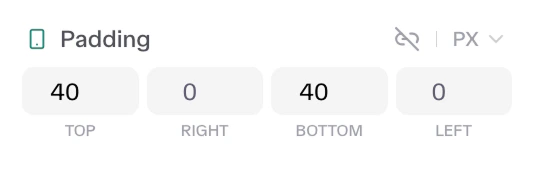
Dimensions Control
{
  "id": "section_padding",
  "label": "Padding",
  "type": "dimensions",
  "responsive": true,
  "size_units": ["px", "%", "em", "rem", "vh", "vw"],
  "default": {
    "desktop": { "top": 80, "right": 0, "bottom": 80, "left": 0, "unit": "px", "isLinked": false },
    "tablet": { "top": 64, "right": 0, "bottom": 64, "left": 0, "unit": "px", "isLinked": false },
    "mobile": { "top": 40, "right": 0, "bottom": 40, "left": 0, "unit": "px", "isLinked": false }
  },
  "selectors": {
    "{{WRAPPER}} .section-outer": "padding: {{TOP}}{{UNIT}} {{RIGHT}}{{UNIT}} {{BOTTOM}}{{UNIT}} {{LEFT}}{{UNIT}} !important;"
  }
}

Number

Basic number input component for generic counting variables (like items-per-view) or basic size rules.
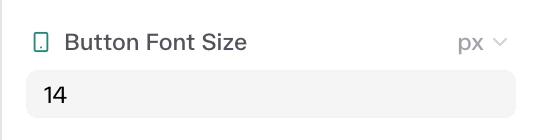
Number Control
{
  "id": "form_submit_fontSize_new",
  "label": "Button Font Size",
  "type": "number",
  "responsive": true,
  "size_units": ["px", "em", "rem"],
  "min": 10,
  "max": 50,
  "default": {
    "desktop": { "size": 18, "unit": "px" }
  },
  "selectors": {
    "{{WRAPPER}} .cta-button": "font-size: {{SIZE}}{{UNIT}} !important;"
  }
}

Icon

Used to load specific icon classnames directly to DOM elements. Uses an icon picker.
{
  "id": "feat_icon",
  "label": "Icon",
  "type": "icon",
  "selector": ".icon-box > *",
  "attribute": "className",
  "default": "unicon-search",
  "label_block": false
}

Repeater

Complex control used to manage lists of repetitive elements (e.g., FAQ accordions, pricing tiers, testimonial grids). Repeaters load a sub-array of nested Controls for every repeating DOM slice.
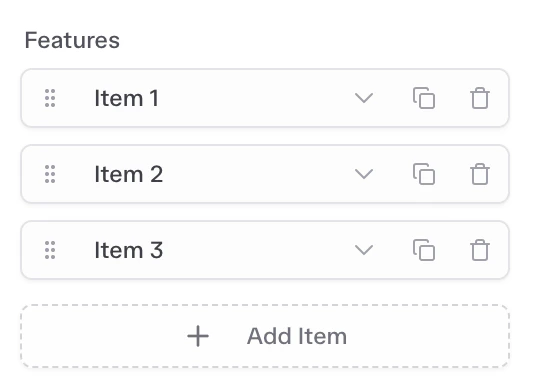
Repeater Control
{
  "id": "faq_repeater",
  "label": "Items",
  "type": "repeater",
  "selector": "{{WRAPPER}} ul.uc-accordion-divider > li",
  "fields": [
    {
      "id": "question",
      "label": "Question",
      "type": "text",
      "selector": ".uc-accordion-title",
      "attribute": "textContent"
    },
    {
      "id": "answer",
      "label": "Answer",
      "type": "textarea",
      "selector": ".uc-accordion-content",
      "attribute": "textContent"
    }
  ],
  "default": [
    { "question": "Example?", "answer": "Example answer." }
  ],
  "title_field": "question",
  "prevent_empty": 1
}